

Configuring Flight Rules
Set up flight policy rules with routes, budgets, cabin classes, and duration tiers
Configuring Flight Rules
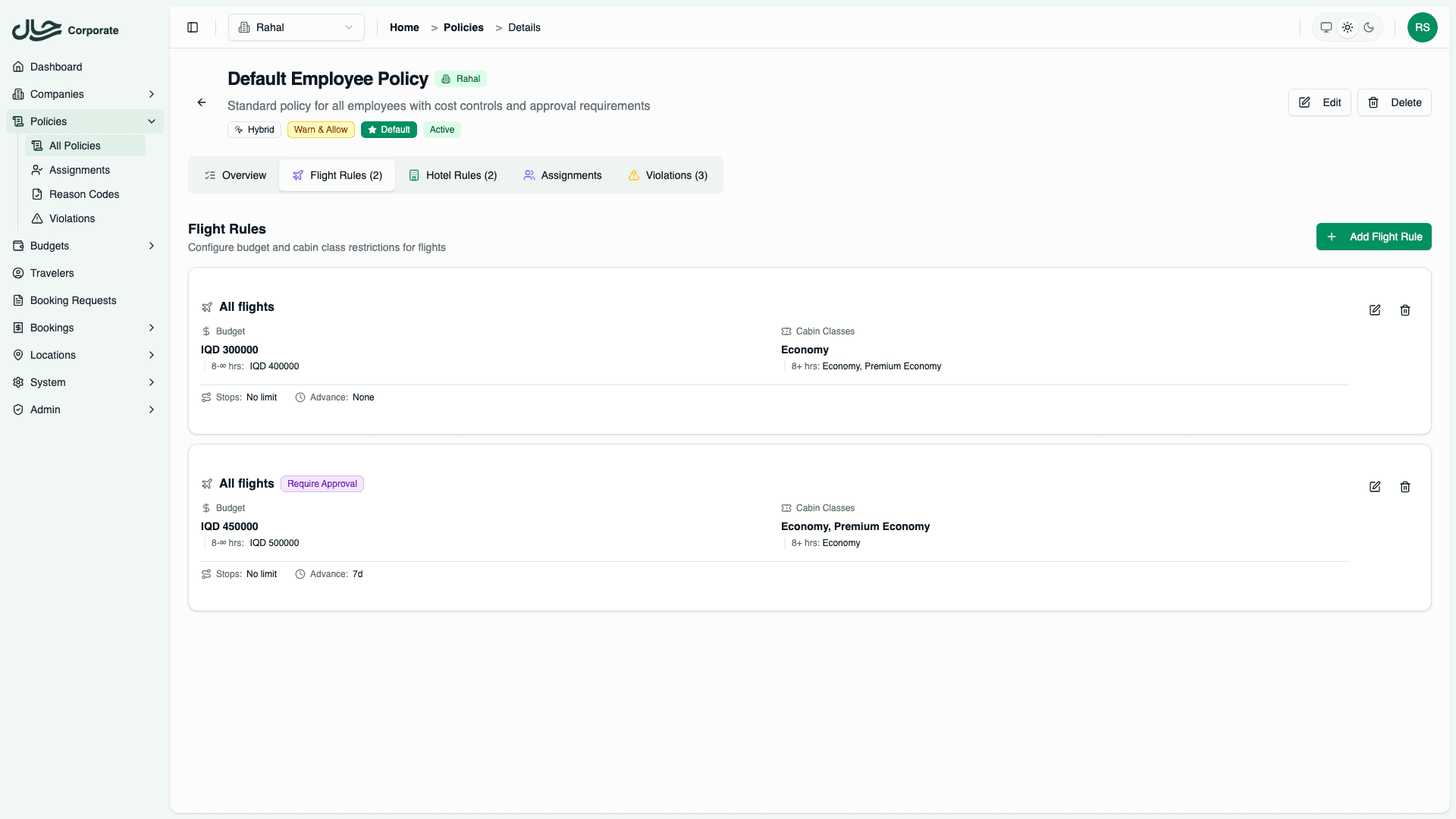
Flight rules define what flights employees can book and at what price. This guide covers how to create and configure flight rules.
Accessing Flight Rules
- Go to Policies and open a policy
- Click the Flight Rules tab
- Click Add Rule to create a new rule
Rule Configuration
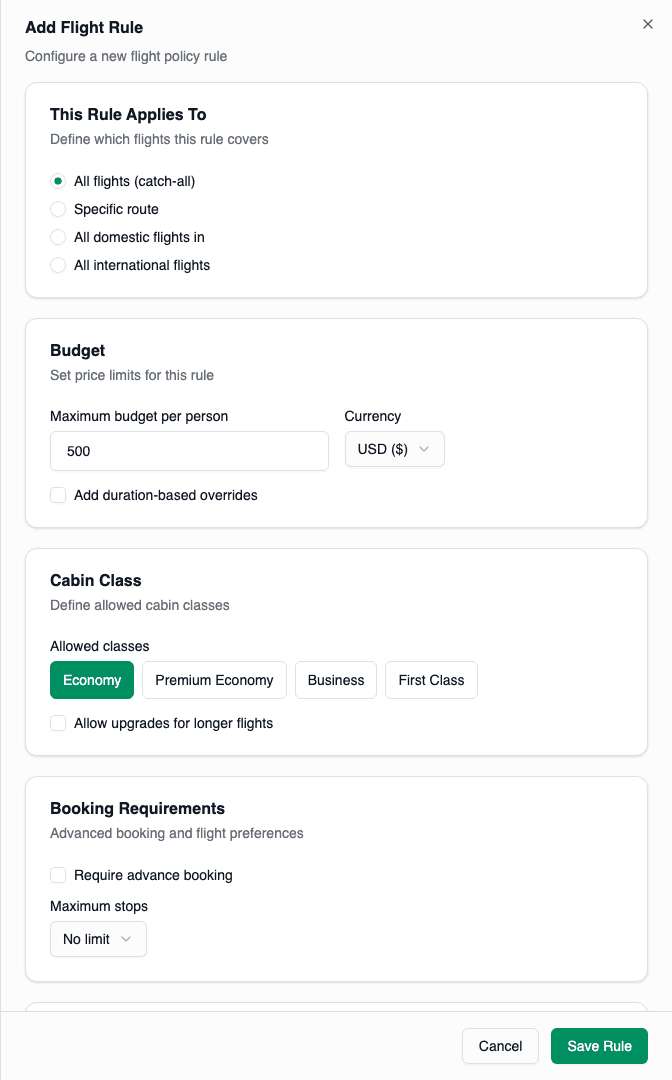
Section 1: Route Matching
Choose which flights this rule applies to:
| Option | Description | Priority |
|---|---|---|
| All flights | Catch-all rule | 100 (lowest) |
| Specific route | City to city (e.g., Baghdad → Dubai) | 10 (highest) |
| Domestic in [Country] | All domestic flights in a country | 50 |
| International flights | All flights crossing borders | 75 |
For specific routes:
- Select "Specific route"
- Search and select the origin city
- Search and select the destination city
For domestic:
- Select "All domestic flights in [Country]"
- Select the country
Section 2: Budget
Set the maximum price per person:
- Enter the maximum budget (e.g., 500)
- Select the currency (USD, EUR, IQD, etc.)
Duration-Based Budget Tiers
For different budgets based on flight length:
- Check "Set different budgets for longer flights"
- Add tiers:
- 0-3 hours: $450
- 3-7 hours: $650
- 7+ hours: $1,000
Duration tiers help accommodate naturally higher prices for long-haul flights.
Example:
Base: $500
Tiers:
  0-3 hours: $450 (short flights can be cheaper)
  3-7 hours: $650 (medium flights)
  7+ hours: $1,000 (long-haul premium)
Section 3: Cabin Class
Select allowed cabin classes:
- Economy
- Premium Economy
- Business
- First Class
Click each class to toggle it on/off.
Duration-Based Cabin Tiers
For cabin upgrades on longer flights:
- Check "Allow upgrades for longer flights"
- Add tiers:
- 0-5 hours: Economy only
- 5-8 hours: Economy, Premium Economy
- 8+ hours: Economy, Premium Economy, Business
Example use case: Allow Business class only for 8+ hour flights where rest is important.
Section 4: Booking Requirements
Advance Booking
Require bookings to be made in advance:
- Check "Require advance booking"
- Enter minimum days (e.g., 7)
Bookings made less than 7 days before departure will violate this rule.
Maximum Stops
Limit connections:
| Option | Meaning |
|---|---|
| No limit | Any number of stops |
| 0 | Direct flights only |
| 1 | Maximum 1 connection |
| 2 | Maximum 2 connections |
Section 5: Action Override
By default, violations use the policy's default action. To override for this specific rule:
- Check "Override policy default action"
- Select the action:
- Allow
- Warn and Allow
- Require Approval
- Block
Common use case: Block First Class bookings regardless of other policy settings.
Saving the Rule
Click Save Rule when done. The rule appears in the Flight Rules table.
Managing Rules
Edit a Rule
- Click the Edit button on the rule row
- Make changes
- Click Save
Delete a Rule
- Click the Delete button on the rule row
- Confirm deletion
Deleting a rule takes effect immediately. Users booking after deletion will be evaluated against remaining rules.
Example Configurations
Domestic Economy Only
Route: All domestic flights in Iraq
Budget: 300 USD
Cabin: Economy
Stops: 0 (direct only)
Advance: 3 days
Action: (use policy default)
Regional Business Travel
Route: Iraq → UAE
Budget: 600 USD
  Tiers: 0-4h: $500, 4+h: $700
Cabin: Economy, Premium Economy
Stops: 1 maximum
Advance: 5 days
Action: (use policy default)
Long-Haul with Upgrades
Route: All international flights
Budget: 1,000 USD
  Tiers: 0-5h: $600, 5-10h: $900, 10+h: $1,500
Cabin: Economy, Premium Economy
  Tiers: 0-7h: Economy, 7-12h: Economy/Premium, 12+h: Economy/Premium/Business
Stops: 1 maximum
Advance: 10 days
Action: (use policy default)
First Class Block
Route: All flights
Budget: (any)
Cabin: First Class (only)
Action: BLOCK (override)
This rule catches any First Class selection and blocks it, regardless of route or price.
Best Practices
- Start with a catch-all rule - Ensure all flights are evaluated
- Add specific rules for common routes - High-traffic routes may need special treatment
- Use duration tiers for international - Long flights naturally cost more
- Test your rules - Use policy preview to verify behavior
- Review regularly - Update budgets as prices change