

Booking as Delegate
Complete guide to booking travel on behalf of someone who delegated to you
When someone delegates to you, you gain the ability to book travel for their travelers. This guide walks through the complete booking process when using delegated access, from selecting who to book for through completing the booking.
Prerequisites
Before you can book on behalf of someone:
- Active delegation exists - Check the Delegation page to see who has delegated to you
- Create Bookings scope - The delegation must include this permission
- View Travelers scope - Required to see and select their travelers
If you're missing any of these, contact the person you need access from or your company administrator.
The Booking Context Selector
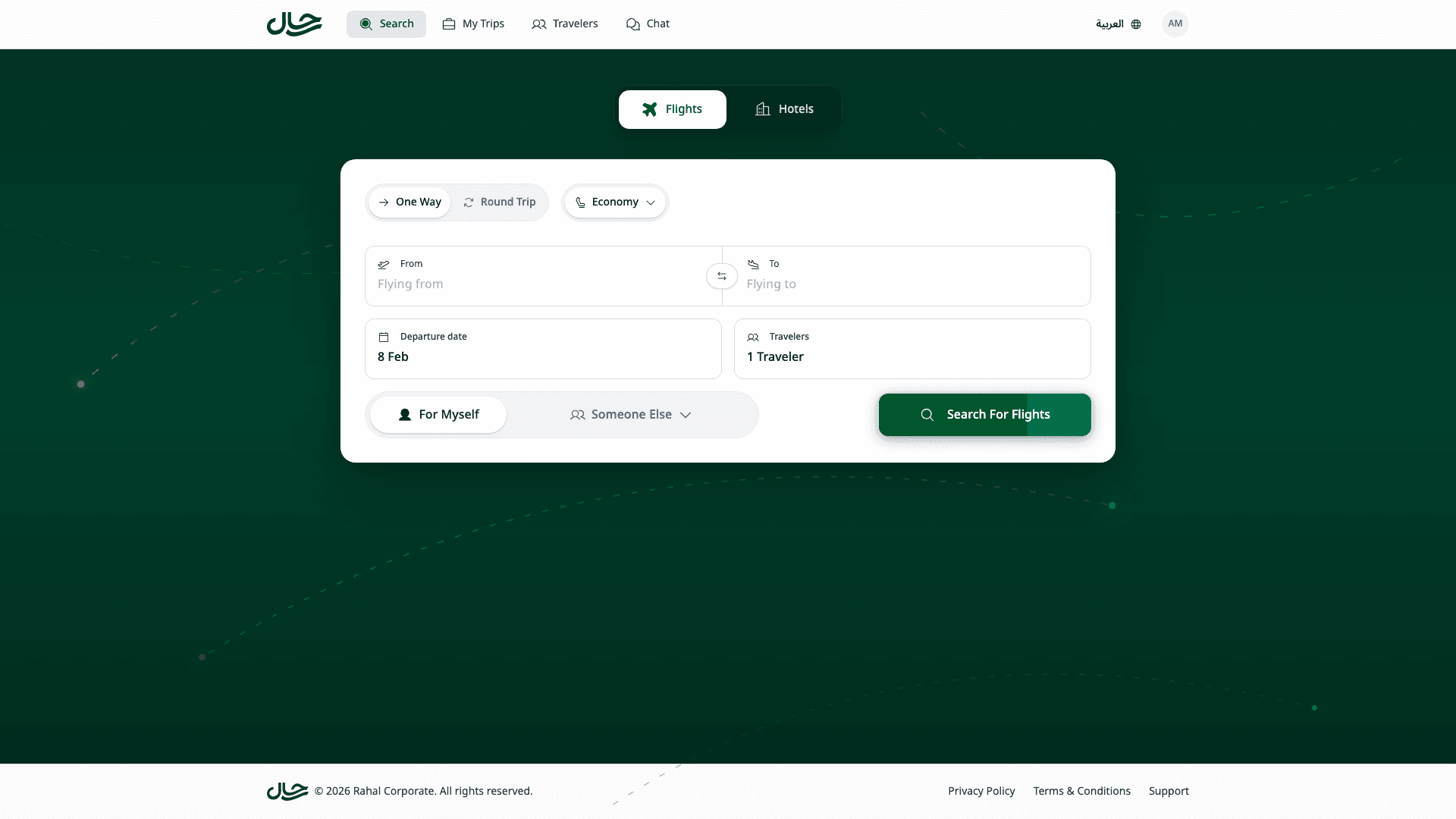
When you have one or more active delegations, a booking context selector appears on the home page. This toggle lets you switch between booking for yourself and booking for someone who delegated to you.
Understanding the Selector
The context selector has two sides:
| Option | What it means |
|---|---|
| For Myself | Use your own travelers, policy, and budget |
| For [Name] or Someone Else | Use a delegator's travelers, policy, and budget |
Single vs Multiple Delegators
One delegator: If only one person has delegated to you, their name appears directly on the right side of the toggle.

Multiple delegators: If several people have delegated to you, clicking "Someone Else" opens a list where you can search and select.
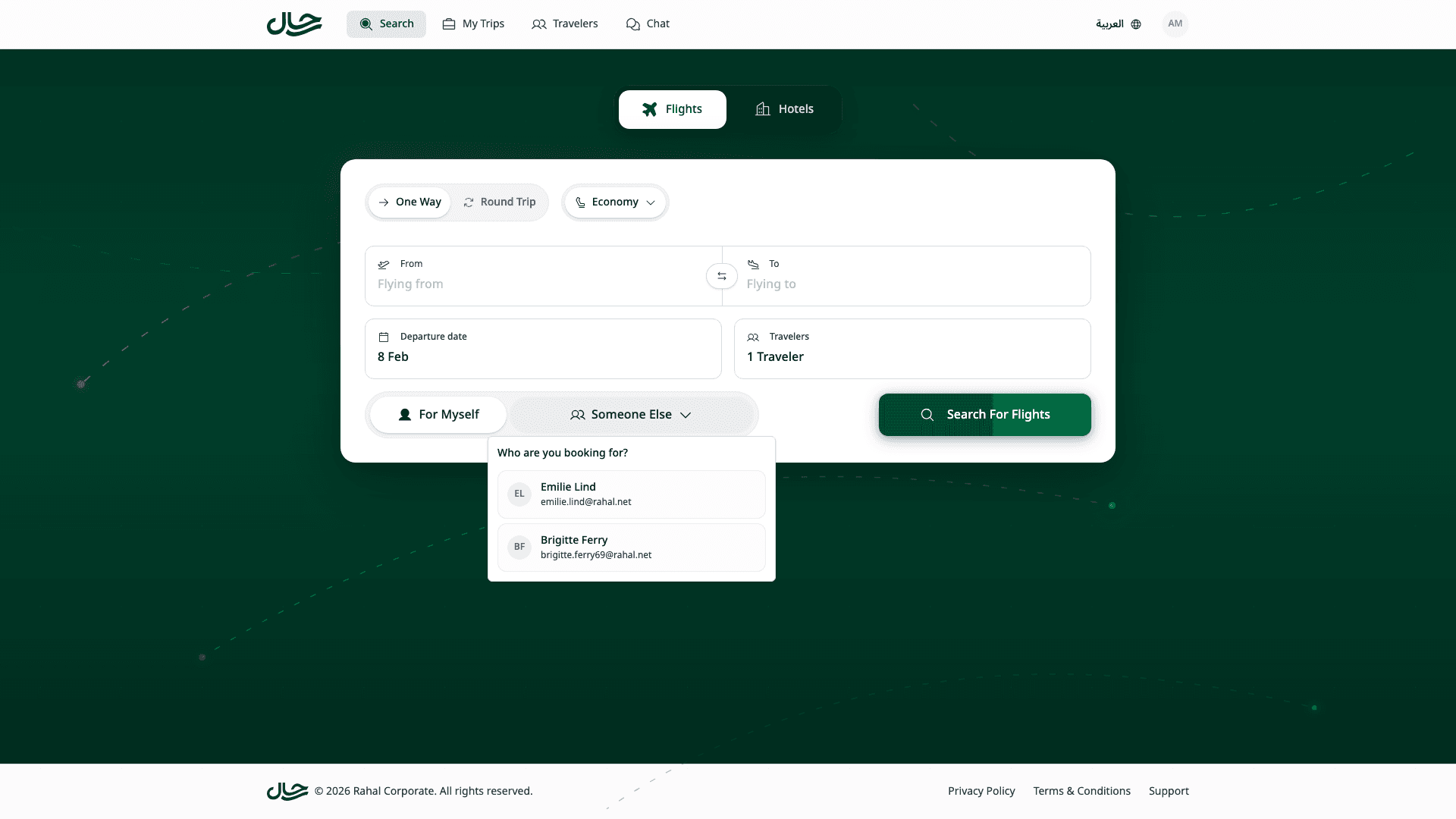
After selecting a user, the toggle updates to show their name:

Booking Flow
Choose Who to Book For
Before searching, select who you're booking for using the context selector:
- Click For Myself to book for your own travelers
- Click the delegator's name or Someone Else to book for their travelers
The selection affects the entire booking journey - which travelers you see, which policy applies, and whose budget is used.
Search for Travel
Search for flights or hotels as you normally would. Enter your trip details (origin, destination, dates, passengers) and click Search.
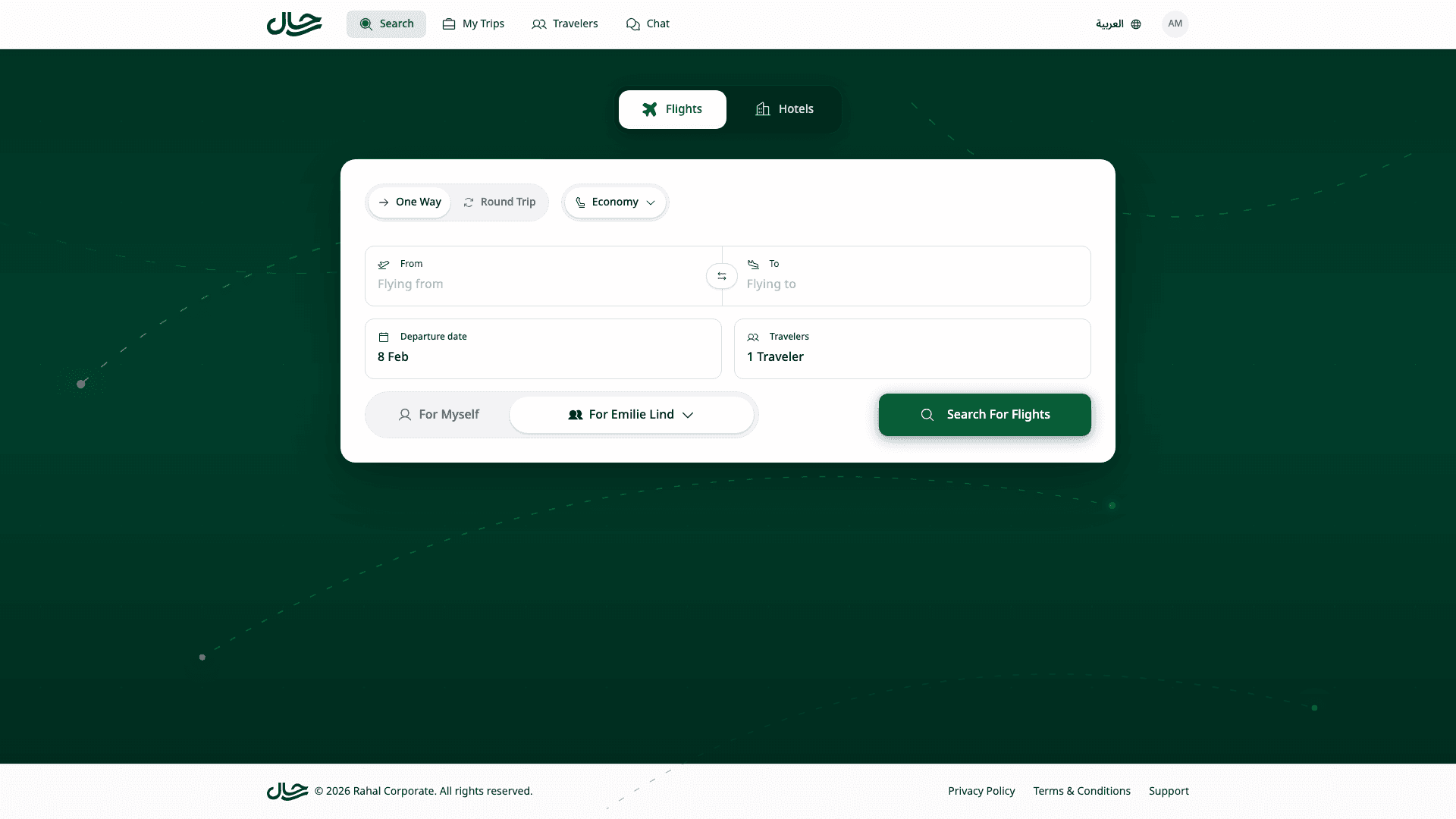
Policy compliance indicators in search results reflect the selected person's policy, not yours.
Browse Results
Review the search results. Policy status badges show compliance against the delegator's assigned policy.
Select Travelers
When you open the travelers drawer from the search form, the list shows travelers belonging to the person you're booking for—not your own travelers.
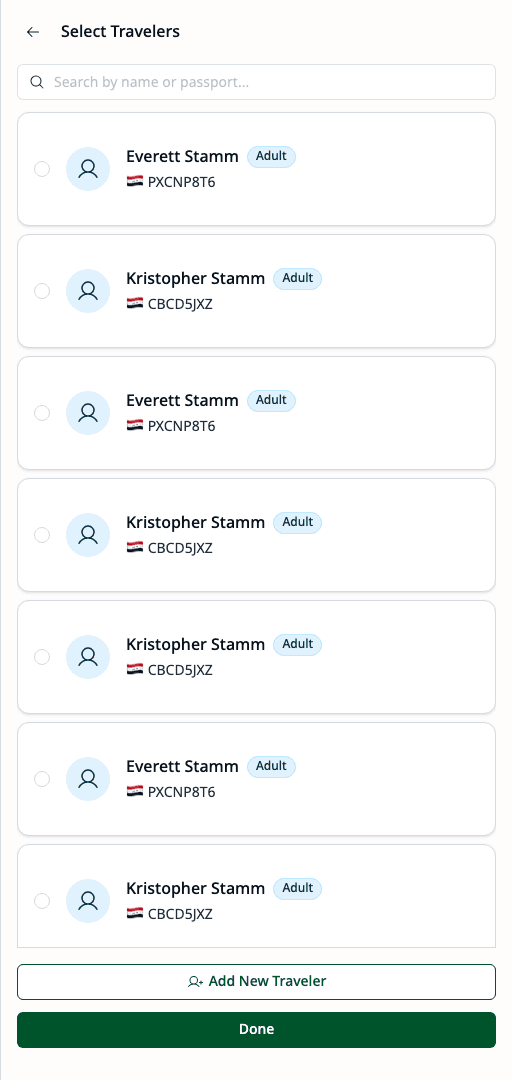
Select the travelers for this booking. Each traveler card shows the traveler's name, type (Adult, Child, Infant), and passport information. Selected travelers appear at the top with a checkmark.
Once you select travelers, the context becomes locked. You cannot switch between yourself and the delegator without clearing your selection first.
Review and Complete
On the review page, you'll see a banner confirming you're booking on behalf of someone else:
"Booking on behalf of [Name]"
This banner confirms:
- The booking is for someone else's travelers
- Their travel policy is being used for evaluation
- Their budget will be consumed (if applicable)
Complete the booking flow by:
- Reviewing the itinerary and traveler details
- Checking policy compliance (warnings, approvals, or blocks)
- Submitting the booking or booking request
Policy and Budget Attribution
When you book for delegated travelers, their policies and budgets apply—not yours.
Policy Evaluation
The booking is evaluated against the delegator's assigned policy:
- Flight rules (cabin class, airlines, advance booking)
- Hotel rules (star rating, price per night)
- Policy action (allow, warn, require approval, block)
What you see during booking:
- Policy compliance badges reflect their policy
- Warnings or blocks are based on their rules
- Required approval follows their approval chain
Budget Consumption
If the delegator has an assigned budget:
- The booking cost is checked against their remaining balance
- Their budget is consumed when the booking is confirmed
- Over-budget warnings reference their limits
- Budget notifications go to the delegator
Booking Requests
If the delegator's policy requires approval, your booking becomes a booking request.
| Attribute | Value |
|---|---|
| Booking For | The delegator (traveler owner) |
| Created By | You (the delegate) |
| Approvers | The delegator's approval chain |
| Budget Reserved | The delegator's budget |
Whether you can see the request afterward depends on your View Bookings scope.
Context Locking
To prevent mixing travelers from different owners, the booking context locks once you select travelers.
Why Locking Exists
A single booking can only have:
- One policy applied
- One budget consumed
- One approval chain
Mixing travelers from different owners would create conflicts in policy evaluation and budget attribution.
The Lock Indicator
When you select travelers, the other option in the context selector shows a lock icon. This indicates you cannot switch without clearing your selection.
Switching After Selection
If you need to switch context after selecting travelers:
- Click the locked option (the side with the lock icon)
- A confirmation dialog appears asking if you want to clear your selection
- Confirm to clear the selected travelers
- The context switches to your choice
Viewing Bookings You Created
After booking for someone else, you can view these bookings on the Bookings page.
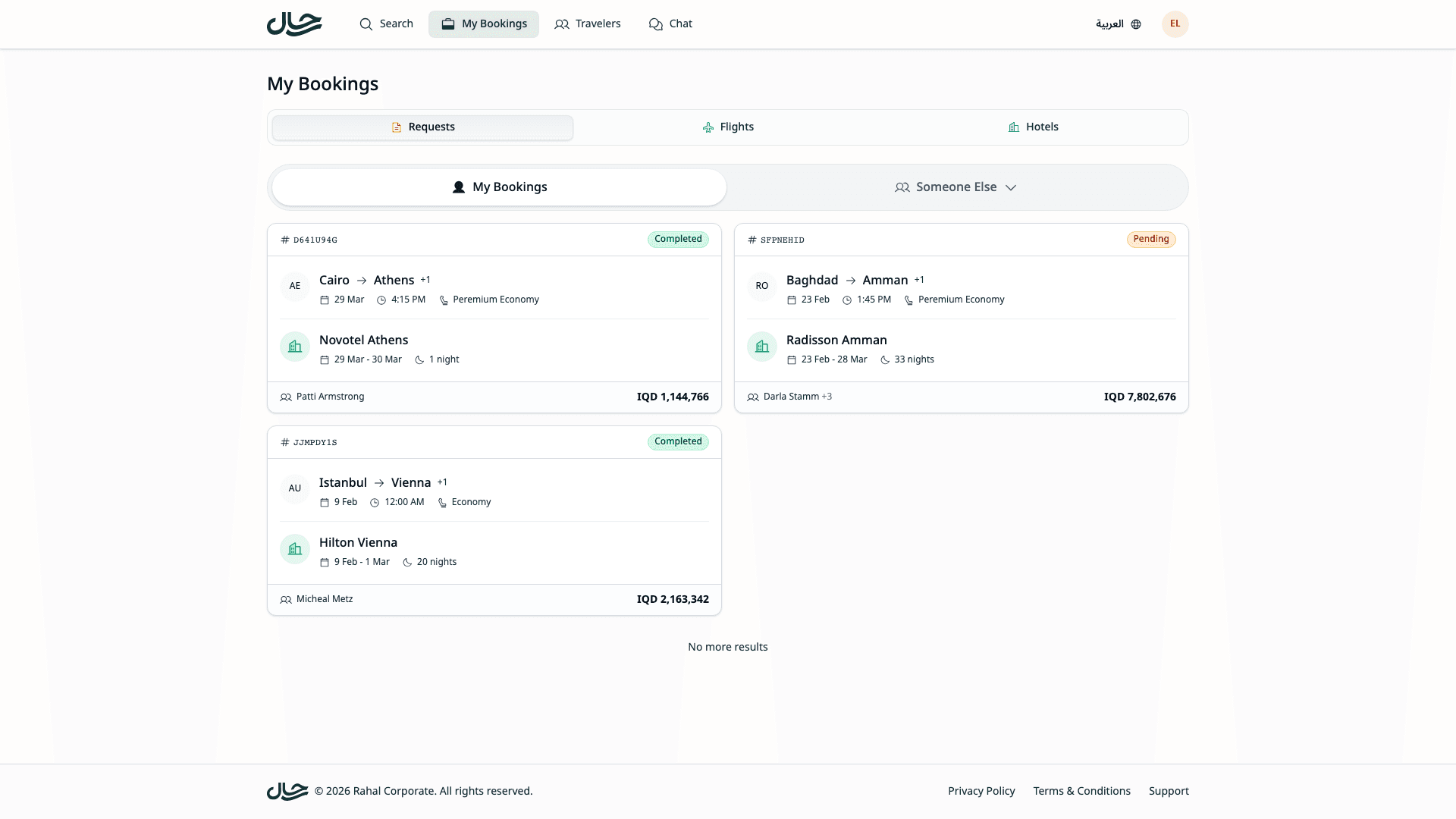
The Bookings page shows a filter for:
- My Bookings - Bookings for your own travelers
- Created for Others - Bookings you created for delegated travelers
Viewing bookings you created for others requires the View Bookings scope in your delegation.
Managing Travelers
If you have the Manage Travelers scope, you can add and edit travelers for the delegator.
On the Travelers page, the context selector lets you switch between:
- My Travelers - Your own traveler profiles
- [Name]'s Travelers - Travelers belonging to someone who delegated to you
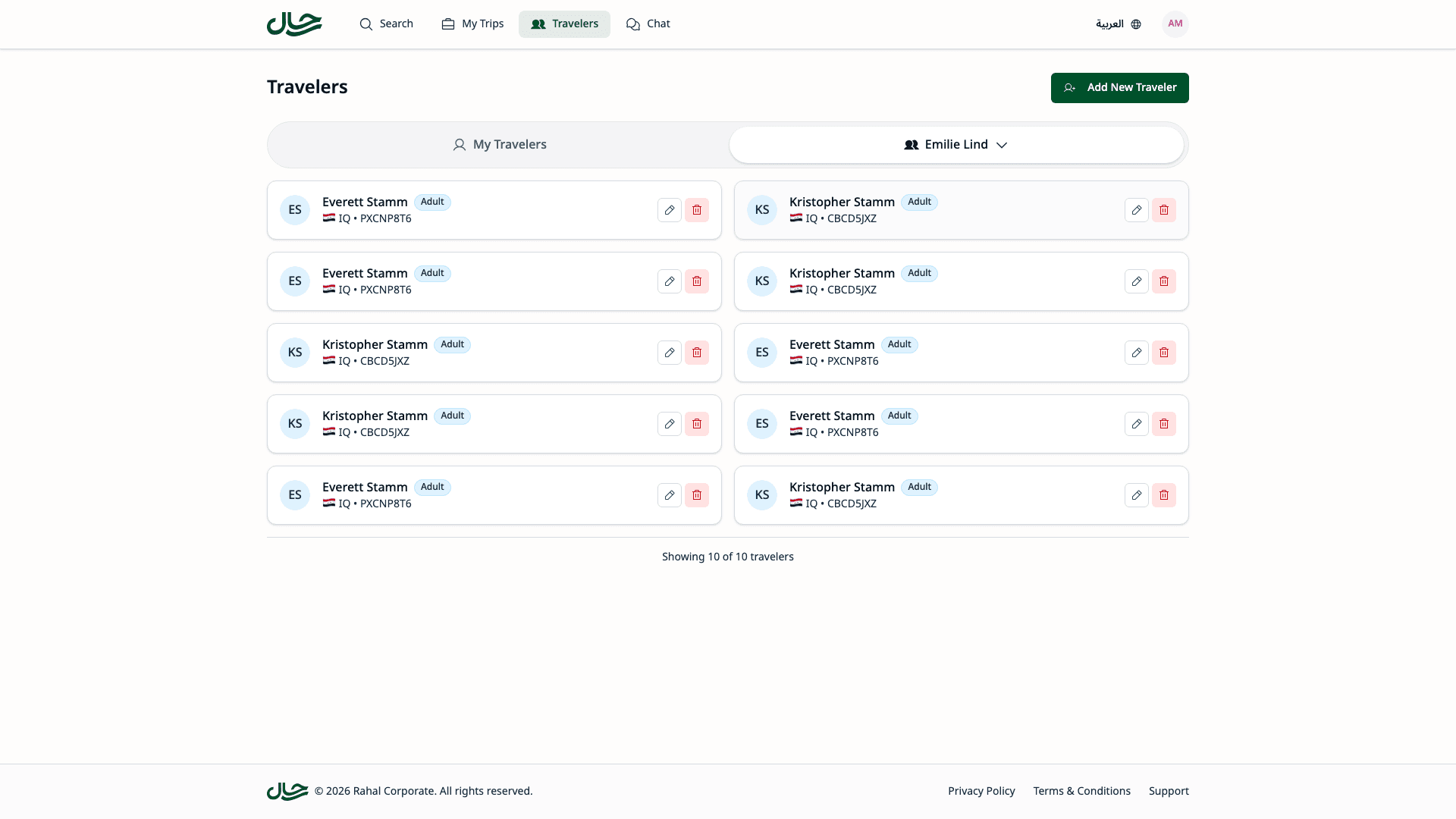
When viewing a delegator's travelers, you can:
- Add new travelers (attributed to them)
- Edit traveler profiles
- Update passport information
- Manage travel documents
Error Handling
Delegation Revoked
Error: "Your access to book for [Name] has been revoked"
The delegator or an administrator removed your access. You cannot complete this booking.
What to do:
- Contact the delegator or your administrator
- If access is restored, start a new booking
Scope Removed
Error: "You no longer have permission to perform this action for [Name]"
Your delegation was modified to remove the required scope.
What to do:
- Contact the delegator
- Ask them to restore the needed scope
Traveler Inaccessible
Error: "One or more selected travelers are no longer accessible"
A traveler was removed or your delegation was modified.
What to do:
- Remove the inaccessible traveler from your selection
- Continue with remaining travelers, or start over
Best Practices
Verify Before Starting
Before beginning a booking for someone else:
- Check that your delegation is active on the Delegation page
- Confirm you have the Create Bookings scope
- Know whose policy will apply
Communicate with Delegators
Keep delegators informed about bookings you make:
- Let them know when you've completed a booking
- Share confirmation details
- Alert them to any policy warnings or approval requirements
Double-Check the Context
Before submitting a booking:
- Verify the delegation banner shows the correct person
- Confirm you've selected the right travelers
- Check that policy compliance is acceptable
Related Topics
- User Delegation - Understanding delegation relationships
- Self-Service Delegation - Grant and manage your delegations
- Booking with Delegation - Quick overview of delegate booking
- Booking Requests - Understanding the approval workflow