

Managing Frequent Flyer
How to manage frequent flyer programs and assign memberships to travelers
Managing Frequent Flyer
Frequent flyer management has two parts: configuring the available programs (system-wide) and managing individual traveler memberships.
Managing Programs
Frequent flyer programs are managed from the Settings section in the sidebar under Frequent Flyer Programs.
Viewing Programs
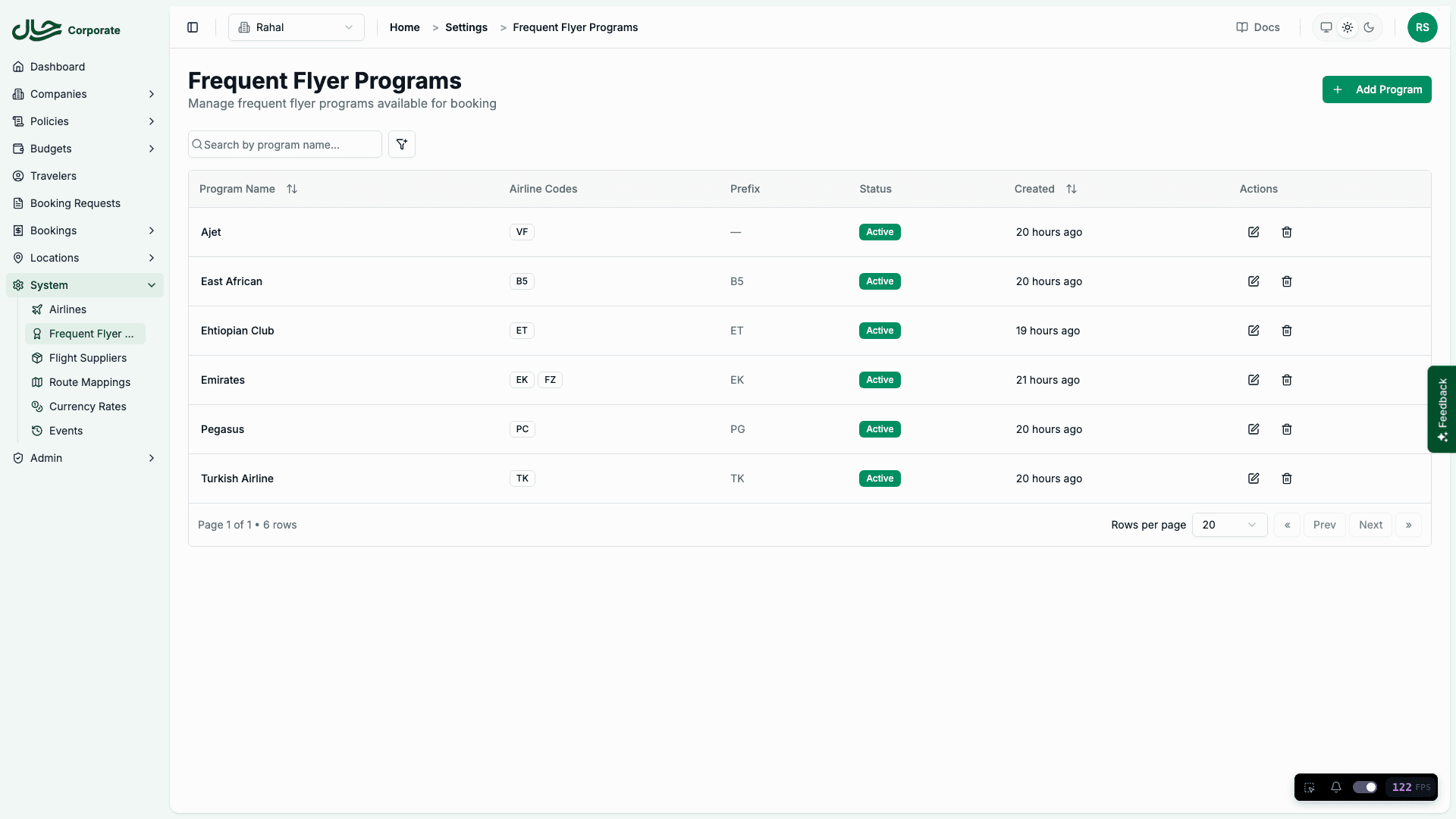
The programs page shows a table of all configured programs with:
- Program Name — The display name (e.g., Alfursan, Emirates Skywards)
- Airline Codes — Associated IATA airline codes
- Prefix — Optional membership number prefix
- Status — Active or Inactive
- Created — When the program was added
You can search by program name and filter by active/inactive status.
Creating a Program
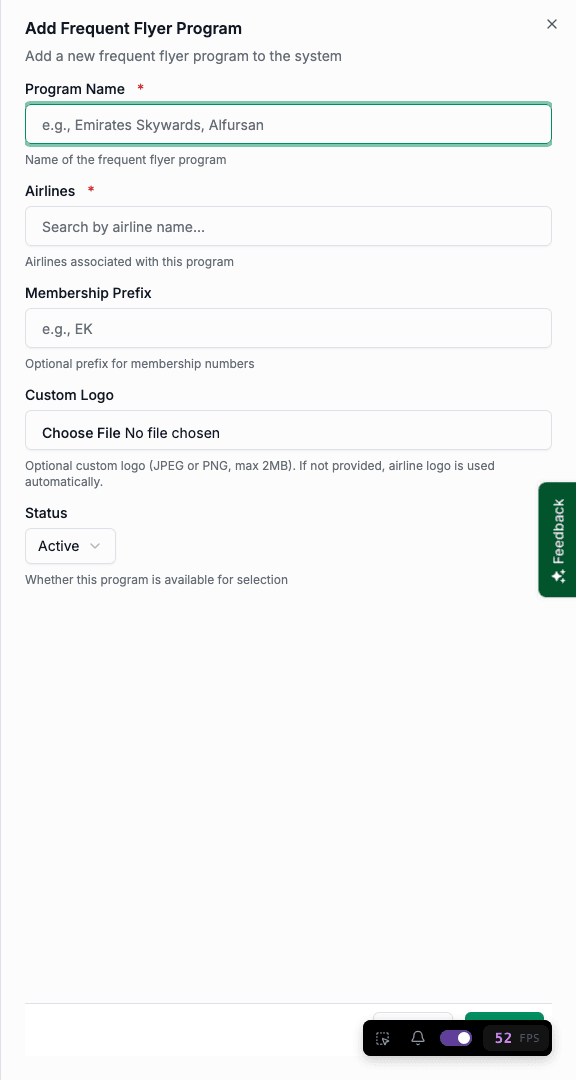
Enter Program Details
Fill in the required fields:
| Field | Required | Description |
|---|---|---|
| Program Name | Yes | Unique name for the program (e.g., "Emirates Skywards") |
| Airlines | Yes | Search and select one or more airlines by name or code |
| Membership Prefix | No | Short prefix displayed before membership numbers (e.g., "EK") |
| Custom Logo | No | JPEG or PNG image, 2MB maximum. If not provided, the airline logo is used |
| Status | Yes | Active (available for selection) or Inactive (hidden) |
Save
Click Submit to create the program. It will immediately appear in the programs table and become available for traveler membership selection (if active).
Program names must be unique. If you try to create a program with an existing name, an error message will appear.
Editing a Program
- In the programs table, click the Edit button on the row you want to modify
- Update any fields as needed
- Click Submit to save changes
You can change airlines, update the prefix, upload or remove a custom logo, and toggle the active status.
Changing airline associations does not affect existing traveler memberships — it only changes which airlines the program maps to for future bookings.
Deleting a Program
- Click the Delete button on the program row
- Confirm the deletion in the dialog
Deleting a program deactivates it. Existing traveler memberships linked to the program remain visible but the program will no longer appear in the selection list.
Managing Traveler Memberships
Individual frequent flyer memberships are managed from the traveler's detail page.
Viewing Memberships
Navigate to Traveler
- Go to Travelers in the sidebar
- Click on a traveler's name to open their detail page
- Select the Frequent Flyer tab
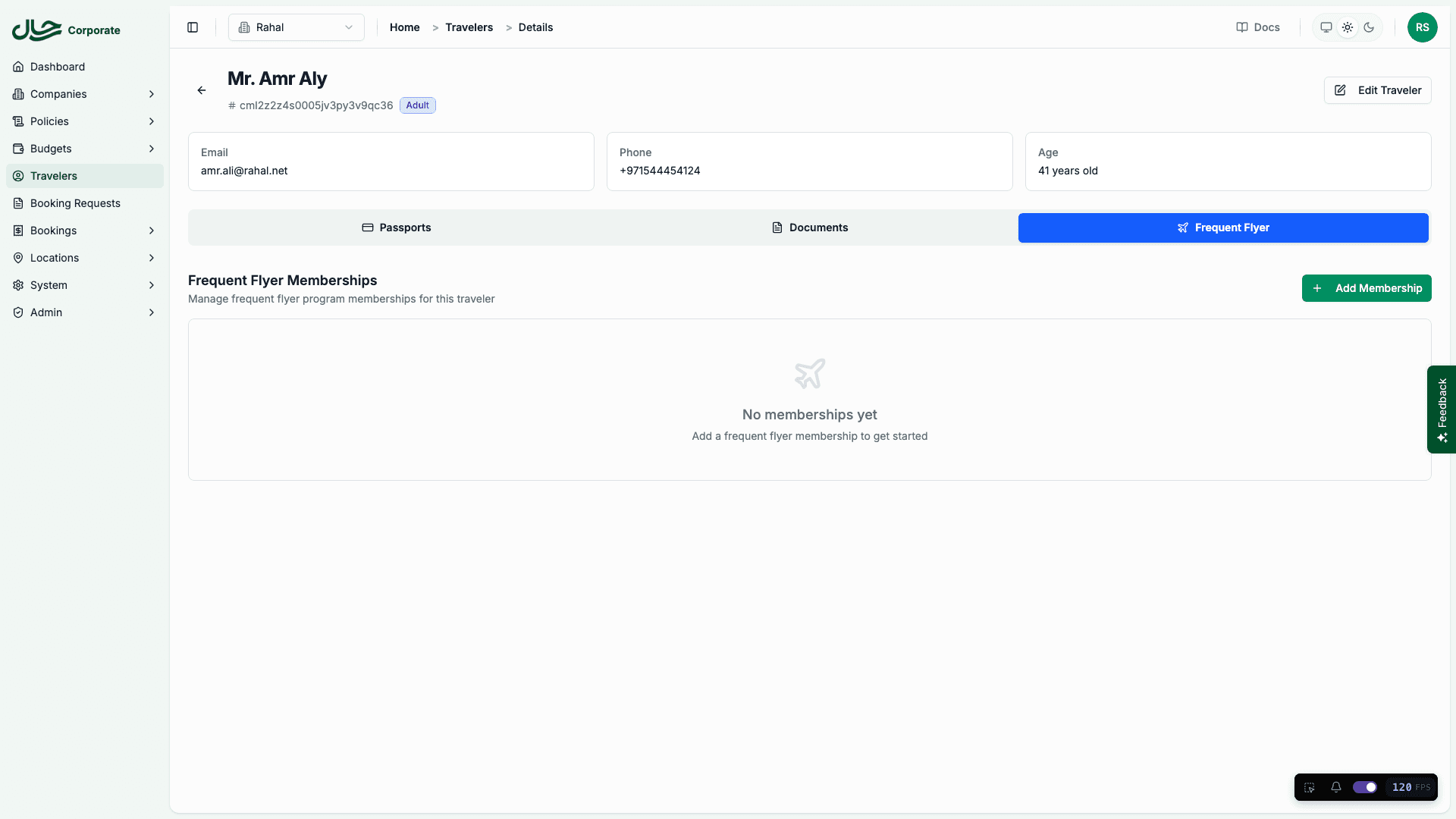
The tab shows a grid of membership cards. Each card displays the program logo, program name, associated airlines, and the membership number (with prefix if configured).
If no memberships exist, an empty state prompts you to add one.
Adding a Membership
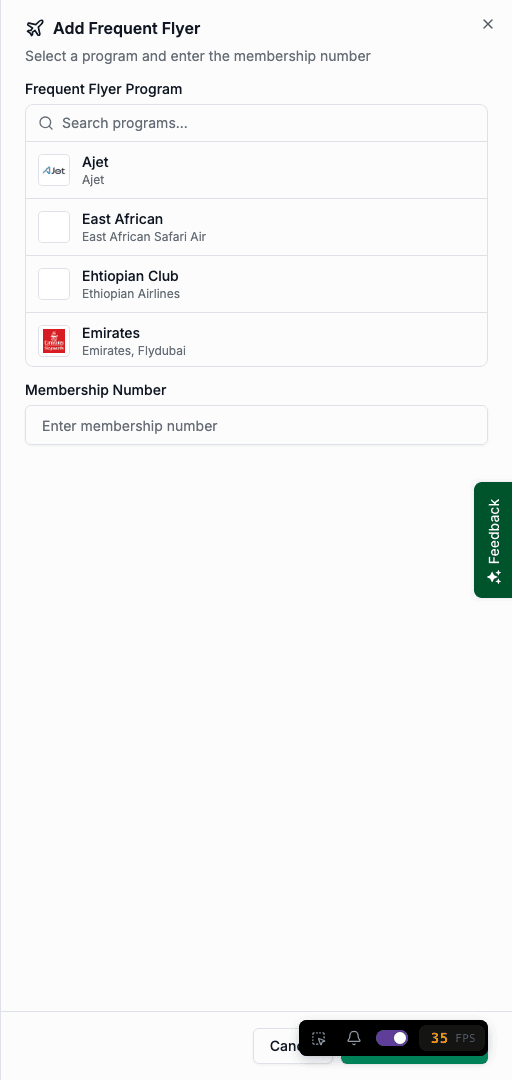
Select a Program
The form shows a searchable list of all active frequent flyer programs. Search by program name, airline code, or airline name.
Programs the traveler already has are marked as "Already added" and cannot be selected again.
Enter Membership Number
Type the traveler's membership number. If the program has a prefix configured, it displays automatically before the input field.
Save
Click Add Membership to save. The new membership card appears in the grid.
Editing a Membership
- On the membership card, click the Edit (pencil) icon
- The form opens with the current program pre-selected (read-only) and the membership number filled in
- Update the membership number
- Click Update to save
To change the program, delete the existing membership and create a new one with the correct program.
Deleting a Membership
- On the membership card, click the Delete (trash) icon
- Confirm the deletion in the dialog
The membership is permanently removed. This does not affect past bookings that used this membership.
Membership deletion is permanent and cannot be undone.
Permissions
| Permission | What It Allows |
|---|---|
| Read Frequent Flyer Programs | View the programs list and program details |
| Write Frequent Flyer Programs | Create, edit, and delete programs |
| Delete Frequent Flyer Programs | Delete (deactivate) programs |
| Read Travelers | View traveler frequent flyer memberships |
| Write Travelers | Add, edit, and delete traveler memberships |
Related
- Frequent Flyer Programs (Concepts) — How programs and memberships work
- Frequent Flyer (User Guide) — How users manage their own memberships