

Admin Guide
Step-by-step guides for configuring and managing budgets
Budget Admin Guide
This guide provides step-by-step instructions for setting up and managing budgets in Rahal. Follow these guides to configure your company's travel budget system.
Setup Workflow
Configure budgets in this recommended order:
- Cost Centers - Create organizational structure
- Budgets - Define spending limits and rules
- Assignments - Connect budgets to roles and users
- Company Settings - Configure global behavior
- Monitor - Track spending and violations
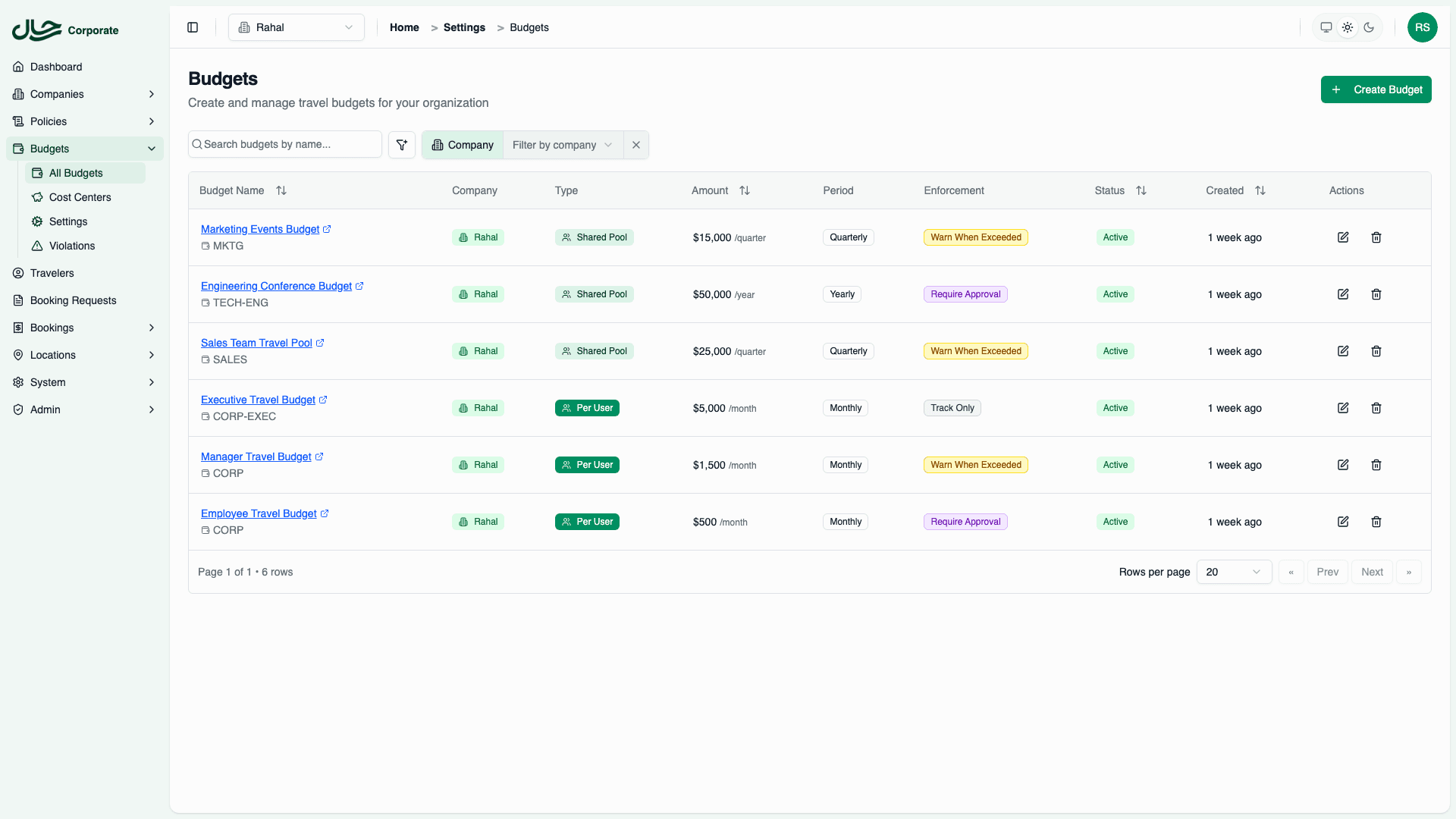
Configuration Guides
Cost Centers
Start here - Create the organizational structure that budgets belong to. Set up departments, projects, or teams as cost centers.
Creating Budgets
Define spending limits, choose allocation type, configure periods, and set enforcement rules.
Period Configuration
Configure when budget periods start and end. Align with your fiscal calendar.
Rollover Settings
Control what happens to unused budget at period end. Configure partial or full rollover.
Assignments
Connect budgets to company roles (bulk) or individual users (overrides).
Company Settings
Configure global defaults and behavior across all budgets.
Monitoring
Track spending, view analytics, manage violations, and review transactions.
Quick Start Checklist
Get budgets running quickly with this minimal setup:
| Step | Action | Time |
|---|---|---|
| 1 | Create at least one cost center | 2 min |
| 2 | Create a budget with basic settings | 5 min |
| 3 | Assign to a role | 2 min |
| 4 | Verify with a test user | 3 min |
Total: ~12 minutes to first working budget
Common Admin Tasks
Initial Setup
| Task | Guide |
|---|---|
| Set up company financial structure | Cost Centers |
| Create first budget | Creating Budgets |
| Assign to all managers | Assignments |
| Set company-wide defaults | Company Settings |
Ongoing Management
| Task | Guide |
|---|---|
| Review monthly spending | Monitoring |
| Adjust budget amounts | Creating Budgets |
| Change rollover policy | Rollover Settings |
| Add budget exceptions | Assignments |
Troubleshooting
| Issue | Guide |
|---|---|
| User has wrong budget | Assignments |
| Budget not enforcing | Company Settings |
| Spending not tracked | Monitoring |
| All issues | Troubleshooting |
Prerequisites
Before configuring budgets, ensure:
- ✅ You have admin access to the dashboard
- ✅ Company roles are set up (for role-based assignments)
- ✅ You understand your company's budget requirements
Related Documentation
- Concepts - Understand how budgets work
- User Guide - What users see
- Reference - Field and setting definitions