

User Guide Overview
Understanding and using delegation as a Rahal user
Delegation User Guide
This guide explains how to use delegation features in the Rahal travel booking app. Whether you're granting access to someone else or using access that's been granted to you, this guide covers everything you need to know.
Understanding Your Role
In delegation, you can be either a delegator, a delegate, or both:
As a Delegator
You grant access to your travelers to another user.
When you're a delegator:
- Another user can see and select your travelers
- They can book travel on your behalf
- Your travel policy and budget apply to these bookings
- You remain the "owner" of all bookings
Common reasons to be a delegator:
- You have an assistant who books your travel
- A travel coordinator manages your department's travel
- You're frequently traveling and need booking help
As a Delegate
You receive access to someone else's travelers.
When you're a delegate:
- You can see their travelers in your traveler selection
- You can create bookings for their travelers
- Their policy and budget apply (not yours)
- Bookings are attributed to them
Common reasons to be a delegate:
- You're an executive assistant
- You're a travel coordinator
- You book travel for your team
Accessing the Delegation Page
The Delegation page is your central hub for managing delegations:
- Log in to the Rahal travel booking app
- Open the account menu (your profile icon)
- Select Delegation
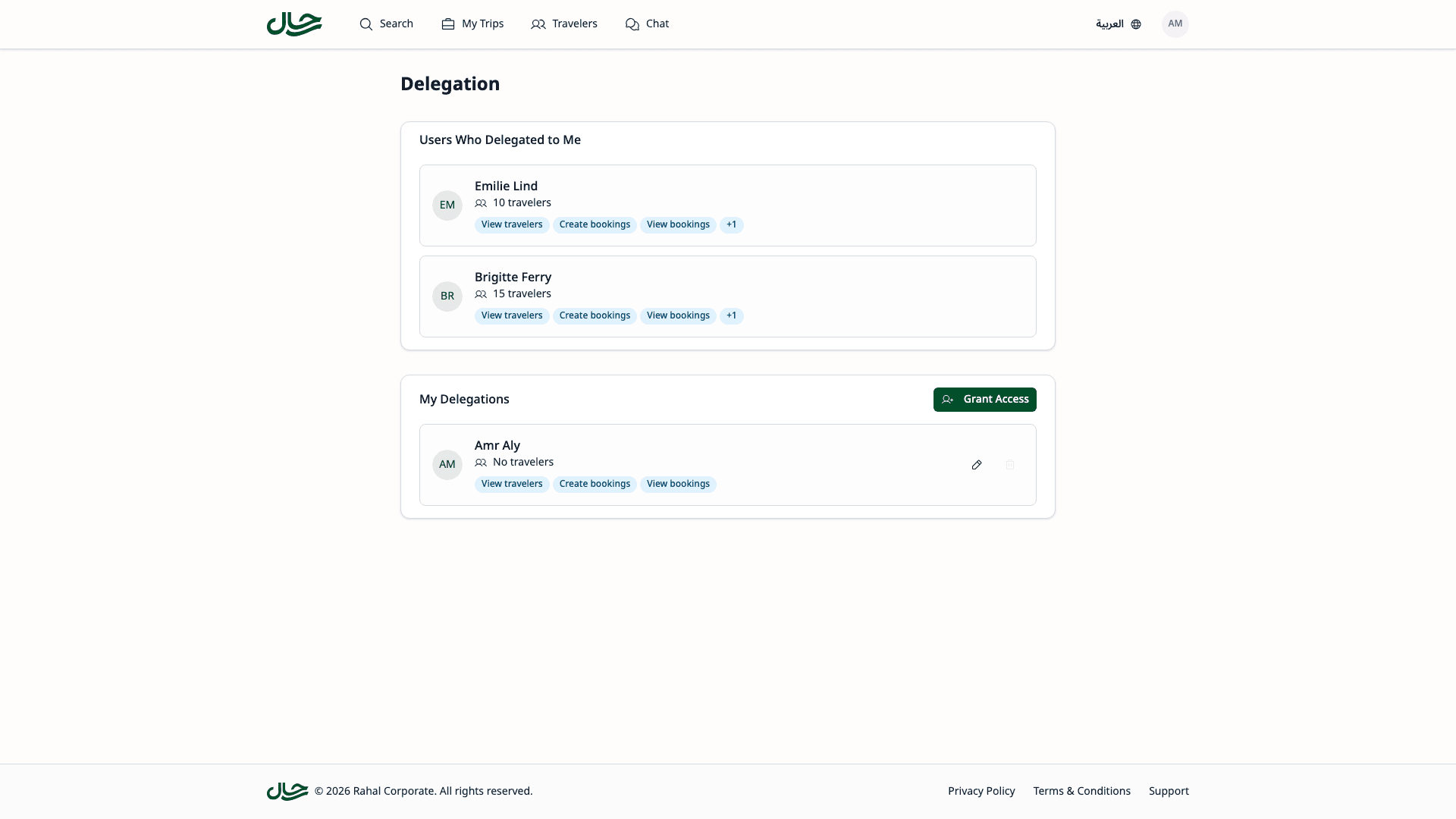
The Delegation Page
The Delegation page is organized into two main sections:
Users Who Delegated to Me
This section shows people who have granted you access to their travelers.
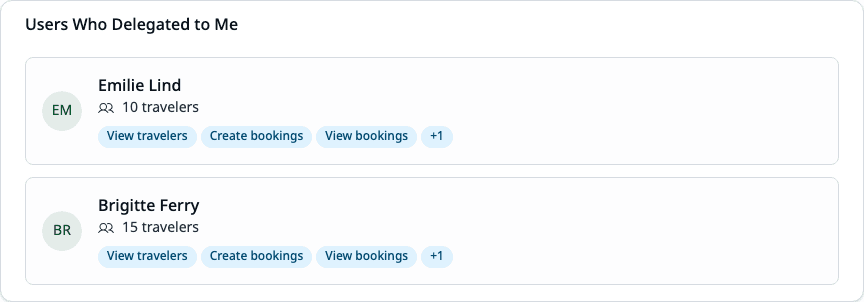
Each delegation card displays:
- User's name and email
- Number of travelers they have
- Permission badges showing what you can do
You cannot modify delegations granted TO you. Only the delegator (or an administrator) can change these.
If this section is empty, no one has delegated to you yet.
My Delegations
This section shows people you have granted access to.
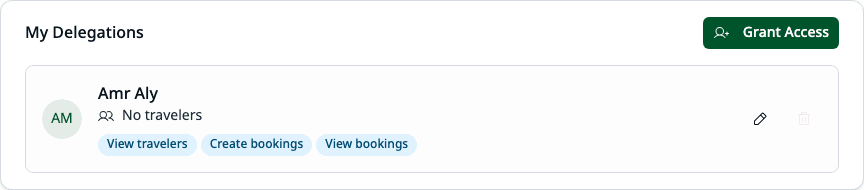
Each delegation card displays:
- User's name and email
- Number of their own travelers
- Permission badges showing granted scopes
- Edit Access button to modify scopes
- Revoke Access button to remove access
If this section is empty, you haven't delegated to anyone yet.
What You Can Do
As a Delegator
| Action | How |
|---|---|
| Grant access | Click Grant Access and select a user |
| Edit scopes | Click Edit Access on a delegation card |
| Revoke access | Click Revoke Access on a delegation card |
As a Delegate
| Action | Requirements |
|---|---|
| View travelers | Needs View Travelers scope |
| Manage travelers | Needs Manage Travelers scope |
| Book travel | Needs Create Bookings scope |
| View bookings | Needs View Bookings scope |
| Cancel bookings | Needs Cancel Bookings scope |
The permission badges on each delegation card show exactly what scopes have been granted.
Using Delegation in the App
When you have active delegations, the app shows a booking context selector in key areas:
- Home/Search page - Switch between booking for yourself or someone else
- Travelers page - View your travelers or a delegator's travelers
- Bookings page - View your bookings or bookings you created for others
This context selector lets you seamlessly switch between working on your own travel and managing travel for people who delegated to you.
User Guide Topics
Self-Service Delegation
Grant, edit, and revoke your own delegations
Booking with Delegation
How to book travel for delegated travelers
Frequently Asked Questions
Can I see who delegated to me?
Yes. The "Users Who Delegated to Me" section shows everyone who has granted you access, along with their traveler count and the scopes they've given you.
Can I request delegation from someone?
Not directly. Delegation must be initiated by the delegator or an administrator. Contact the person you need access from, or ask your company administrator.
Why can't I edit a delegation someone gave me?
Only the delegator (or an administrator) can modify delegations they created. This ensures the delegator maintains control over who accesses their travelers.
How do I know which policy applies when I book?
When booking for someone else's travelers, their policy and budget apply, not yours. Look for the "Booking on behalf of [Name]" banner during the booking process.
What happens if my delegation is revoked while I'm booking?
If your delegation is revoked mid-booking:
- You'll see an error message when you try to proceed
- The booking cannot be completed
- Contact the delegator or administrator
What's the difference between user-to-user and company-wide delegation?
User-to-user delegation grants a specific person access to your travelers. Company-wide delegation (set up by administrators) grants a user access to all travelers in a company -- they see a search interface instead of a fixed list of people who delegated to them.
Can I delegate to someone in a different company?
No. User-to-user delegation only works within the same company. Both you and the person you're delegating to must be active members of the same company. Company-wide delegations are scoped to a target company.
Related Topics
- Self-Service Delegation - Managing your own delegations
- Booking with Delegation - Using delegated access
- Booking as Delegate - Complete guide to the delegate booking flow
- Troubleshooting - Common issues and solutions