

Revoking Delegations
How to permanently remove delegation access
Revoking Delegations
Revoking a delegation permanently removes the delegate's access to the delegator's travelers. This action cannot be undone.
When to Revoke
Common reasons to revoke a delegation:
| Situation | Action |
|---|---|
| Employee leaves the company | Revoke all their delegations |
| Role change | Revoke if delegation no longer needed |
| Security concern | Revoke immediately |
| Relationship ended | Revoke when no longer needed |
| Temporary need fulfilled | Revoke after completion |
Consider deactivating instead of revoking if there's a chance the delegation will be needed again. Deactivated delegations can be reactivated; revoked delegations must be recreated.
Revoking vs Deactivating
| Action | Effect | Reversible |
|---|---|---|
| Deactivate | Suspends access temporarily | Yes - reactivate anytime |
| Revoke | Permanently removes the delegation | No - must recreate |
Choose Deactivate when:
- Temporary suspension needed
- May need to restore access later
- Testing access removal
Choose Revoke when:
- Delegation is no longer needed
- User has left the organization
- Security/compliance requirement
Revoke a Delegation
Find the Delegation
- Navigate to Delegations in the dashboard
- Use search or filters to find the delegation
- Identify the correct row by delegate and delegator names
Initiate Revocation
- Click the trash icon in the Actions column
- A confirmation dialog appears
Confirm Revocation
The dialog shows:
- Delegate name (who loses access)
- Delegator name (whose travelers become inaccessible)
Review the information, then click Confirm to proceed.
Verify Removal
- The delegation disappears from the table
- A success toast confirms the revocation
- The delegate can no longer access the delegator's travelers
Confirmation Dialog
The confirmation dialog displays a warning with the names of both users involved:
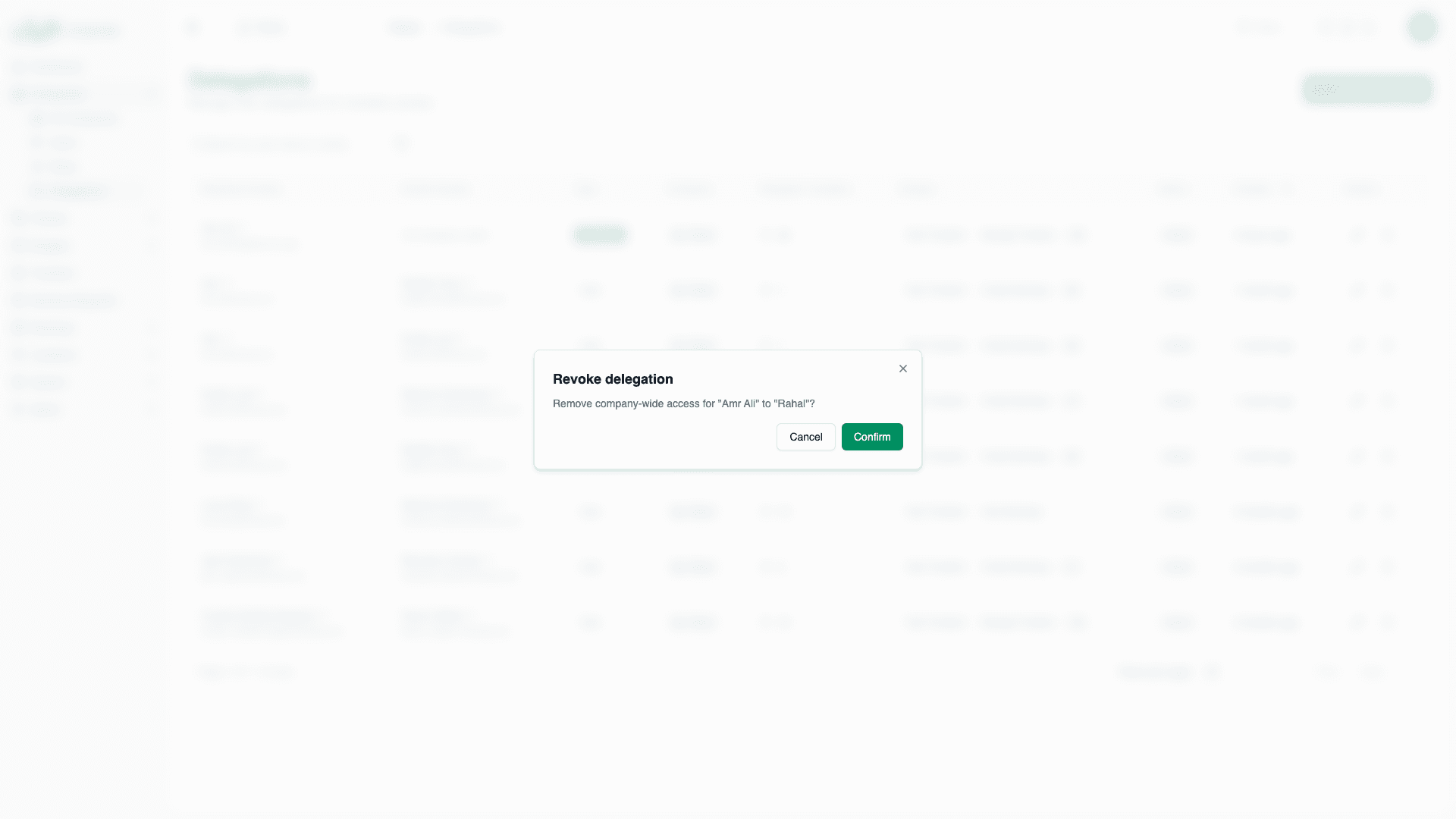
For company-wide delegations, the dialog describes that the delegate will lose access to all company users' travelers. For user-to-user delegations, it names both the delegate and delegator.
What Happens After Revocation
Immediate Effects
- Access removed: Delegate cannot access delegator's travelers
- API blocked: Any API calls using delegation context will fail
- UI updated: Delegator's travelers no longer appear for delegate
Ongoing Bookings
If the delegate has an ongoing booking flow:
- Search results remain visible (cached)
- Selecting travelers may fail
- Booking submission will fail with error
- Error: "Your access to book for [name] has been revoked"
Existing Bookings
Bookings created before revocation are unaffected:
- Booking records remain intact
- Historical data preserved
- Attribution to delegator unchanged
Bulk Revocation
When a user leaves the organization, revoke all their delegations:
Revoking All Delegations FROM a User
When someone who granted access leaves:
- Search for the delegator's name/email
- Revoke each delegation where they are the "Grants Access" user
- This removes all delegates' access to their travelers
Revoking All Delegations TO a User
When someone who received access leaves:
- Search for the delegate's name/email
- Revoke each delegation where they are the "Receives Access" user
- This removes their access to all delegators' travelers
There's no single-click "revoke all" button. Each delegation must be revoked individually to ensure intentionality.
Employee Offboarding
Recommended steps when an employee leaves:
Identify Delegations
- Search for the departing employee's name
- Note all delegations where they appear as delegate or delegator
Revoke Delegator Relationships
If they granted access to others:
- Find delegations where they are "Grants Access"
- Revoke each delegation
- Their travelers become inaccessible to former delegates
Revoke Delegate Relationships
If they received access from others:
- Find delegations where they are "Receives Access"
- Revoke each delegation
- They lose access to all delegators' travelers
Document
Record the revocations for compliance purposes.
Accidental Revocation
If you accidentally revoke a delegation:
- The delegation cannot be restored
- You must create a new delegation
- Use the same configuration as before
- The new delegation will have a different ID and creation date
To avoid accidental revocations:
- Use the confirmation dialog carefully
- Consider deactivating first if unsure
- Double-check delegate and delegator names
Audit Trail
Revocation events are logged with:
| Field | Value |
|---|---|
| Event Type | delegation.revoked |
| Delegation ID | The revoked delegation's ID |
| Delegate | User who lost access |
| Delegator | User whose travelers were affected |
| Revoked By | Administrator who performed the action |
| Timestamp | When the revocation occurred |
Related Topics
- Managing Delegations - Updating existing delegations
- Creating Delegations - Setting up new delegations
- Troubleshooting - Common issues