

Analytics
Monitor travel operations, booking trends, policy compliance, and budget utilization from a centralized dashboard.
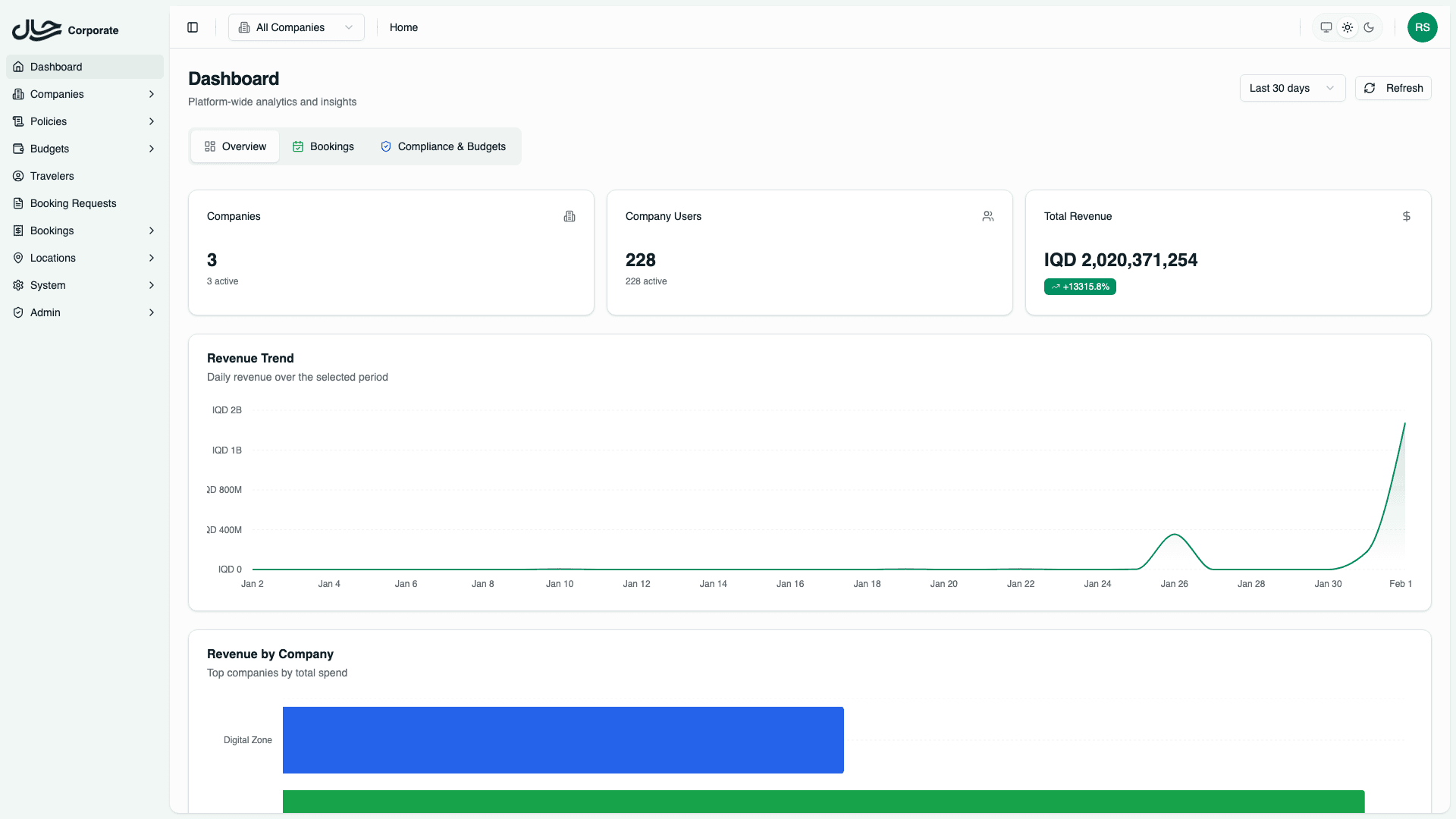
The Analytics dashboard provides a unified view of your organization's travel operations. It consolidates key metrics across bookings, policy compliance, and budget utilization into actionable insights.
Key Features
- Real-time Metrics - View up-to-date statistics on booking requests, orders, revenue, and traveler activity
- Multi-tab Organization - Dedicated tabs for Overview, Bookings, and Compliance & Budgets
- Company-level Filtering - Platform admins can view all companies or drill down to a specific company
- Date Range Selection - Analyze trends across custom time periods
- Visual Charts - Area charts, pie charts, and bar charts for quick pattern recognition
- Activity Feeds - Track recent booking activity and upcoming trips
Dashboard Tabs
The analytics dashboard is organized into three main tabs:
| Tab | Purpose |
|---|---|
| Overview | High-level statistics on companies, users, revenue, and recent activity |
| Bookings | Booking request and order volumes, status distributions, service breakdowns, and top routes |
| Compliance & Budgets | Policy violation trends, compliance rates, budget utilization, and critical budget alerts |
Company Filtering
The analytics dashboard supports two viewing modes:
All Companies View (Platform Admins Only)
When viewing all companies, you see:
- Aggregated metrics across the entire platform
- Company breakdowns in charts and tables
- Revenue by company comparisons
- Per-company violation and budget statistics
Single Company View
When a specific company is selected:
- All metrics are filtered to that company only
- Company breakdown sections are hidden
- Data reflects only the selected company's operations
Company users are automatically locked to their own company and always see company-specific data.
Date Range
All analytics support customizable date ranges:
- Last 7 days - Recent activity snapshot
- Last 30 days - Monthly trends (default)
- Last 90 days - Quarterly analysis
- Custom range - Specific start and end dates
The date range selector is located in the dashboard header and applies to all tabs.
Data Refresh
Analytics data is cached for performance. The dashboard header shows when data was last updated. Use the refresh button to fetch the latest data.
Next Steps
- Overview Tab - Learn about company and revenue metrics
- Bookings Tab - Explore booking volume and status analytics
- Compliance & Budgets Tab - Monitor policy compliance and budget health