

Traveler Selection
Selecting travelers during the flight and hotel booking process
Traveler Selection
During the booking process, you'll select which travelers to include in your booking. This guide explains the traveler selection process.
Selection Interface
When you click the travelers button in the search form, a drawer opens allowing you to select travelers. Your own travelers appear first, followed by delegated travelers (if any) in a separate section.
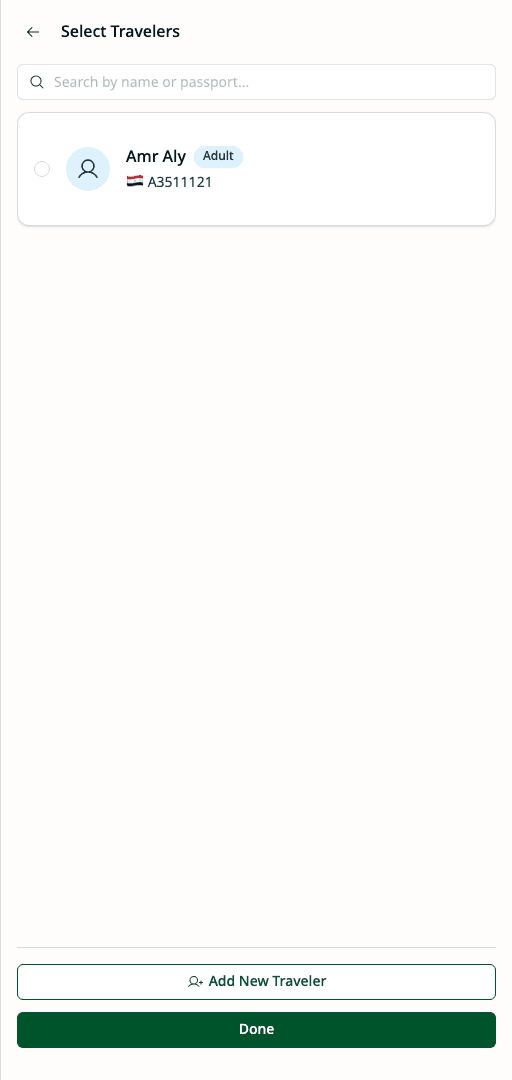
Each traveler displays their name, type (Adult/Child/Infant), and primary passport nationality.
Selecting Travelers
Review Available Travelers
Travelers are displayed with:
- Name and title
- Traveler type (Adult/Child/Infant)
- Primary passport nationality
- Owner (for delegated travelers)
Check or Uncheck Travelers
Click on a traveler card to toggle selection:
- ☑ Checked = Included in booking
- ☐ Unchecked = Not included
Verify Passport Information
For each selected traveler, ensure:
- Passport is not expired
- Passport has sufficient validity for travel dates
- Correct passport is selected (if multiple)
Expired or expiring passports show warning badges. Address these before proceeding.
Continue to Next Step
Once travelers are selected, click Continue to proceed with the booking.
Traveler Requirements
For Flights
- Each traveler must have a valid passport
- Passport expiry must extend beyond travel dates
- Some destinations require 6-month passport validity
For Hotels
- Lead traveler must be an adult (12+)
- Passport may be required depending on hotel/destination
- Room capacity affects maximum travelers
Passport Expiry Warnings
Passports approaching expiry show warnings during selection. Passports with less than 180 days remaining may not meet the 6-month validity requirement for most destinations.
Travelers with expired passports cannot be included in flight bookings.
Changing Passport Selection
If a traveler has multiple passports:
- Click on the passport section of the traveler card
- View available passports
- Select the desired passport
- System uses the selected passport for the booking
When to Change Passport
- Traveling to a country that prefers certain nationalities
- Primary passport is expiring
- Visa requirements favor a specific passport
Traveler Groups
Your Travelers
Travelers you own directly:
- Appear first in the selection list
- Full access to select and manage
- Can add new travelers (if permitted)
Delegated Travelers
Travelers from users who delegated access to you:
- Appear in a separate section
- Show the delegating user's name (e.g., "from Bob Wilson")
- Selection subject to delegation scope
Special Cases
Infant Travelers
Infants (under 2 years) require:
- An accompanying adult
- One infant per adult maximum
- System validates this requirement
When selecting an infant, also select an accompanying adult traveler.
Large Groups
For bookings with many travelers:
- Use the search box to filter travelers
- Select/deselect all with bulk action buttons
- Review selection summary before proceeding
After Selection
Once travelers are selected:
- Policy Evaluation — System checks travel policies
- Budget Check — Budget consumption is calculated
- Review — Summary shows selected travelers
- Submit — Complete booking or create request
Common Issues
Traveler Not Appearing
If a traveler is missing from the list:
- Check if they have a valid passport
- Verify you have access (own or delegated)
- Contact admin if traveler was recently created
Cannot Select Traveler
If a traveler cannot be selected:
- Passport may be expired
- Traveler may not meet route requirements
- Policy restrictions may apply
Wrong Passport Showing
If the wrong passport is displayed:
- Set the correct passport as primary
- Or change passport selection during booking