

User Guide
How to submit, track, and manage your booking requests
User Guide
This guide explains how travelers use booking requests in Rahal. Whether you're submitting a new request, checking its status, or cancelling one you no longer need, this section covers everything you need to know.
Overview
Booking requests are created when a booking requires approval before it can be confirmed. This can happen when:
- Your booking violates company travel policy
- You've exceeded your available budget
- Your company requires all bookings to go through approval
As a traveler, you'll interact with booking requests in these ways:
| Action | When | How |
|---|---|---|
| Submit | When booking requires approval | During the booking flow |
| View | Anytime | My Trips → Requests tab |
| Cancel | While pending | From request detail page |
Quick Navigation
Submitting Requests
How to submit a booking request for approval
Tracking Requests
View and monitor your request status
Cancelling Requests
Withdraw a pending request
When Do I Need to Submit a Request?
You'll submit a booking request instead of booking directly when:
1. Your Booking Violates Company Policy
If you select a flight or hotel that doesn't comply with your company's travel policy, and the policy requires approval for such cases, you'll be prompted to submit a request.
Common examples:
- Booking Business Class when only Economy is allowed
- Selecting a 5-star hotel when the maximum allowed is 3 stars
- Booking travel outside permitted routes
2. You've Exceeded Your Budget
If your booking would use more than your available travel budget and your company requires approval for over-budget requests, you'll need to submit a request.
3. Your Company Uses Request-Only Mode
Some companies configure all travel to require approval, meaning even fully compliant bookings must go through the request process before being confirmed.
If you're unsure why a request is required, check with your travel administrator. They can explain your company's specific policies and approval requirements.
The Request Flow
Here's what happens during the booking process:
Policy evaluation happens automatically on the review page. You'll see the result in the Policy Status section before you submit.
Understanding Request Status
Your requests will be in one of three states:
| Status | Meaning | What You Can Do |
|---|---|---|
| Pending | Waiting for admin review | View details, cancel if needed |
| Completed | Approved by admin | View details only |
| Cancelled | Rejected or withdrawn | View details only |
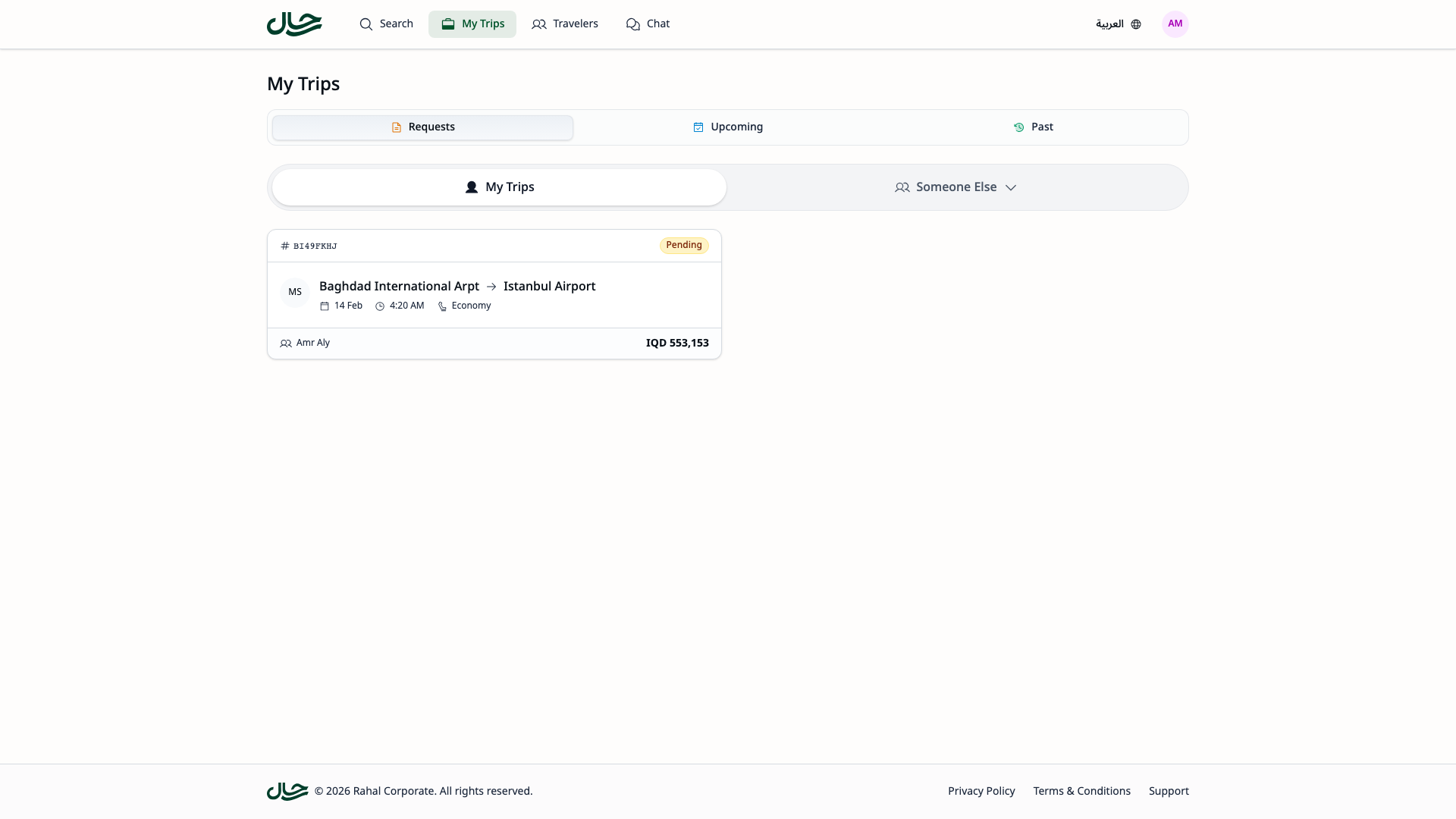
Where to Find Your Requests
- Go to My Trips from the main navigation
- Click the Requests tab (first tab)
- Your requests are displayed as cards with the most recent first

Each card shows a quick summary including:
- Service types (flights/hotels) with counts
- Total price
- Status badge
- Created date
- Number of travelers
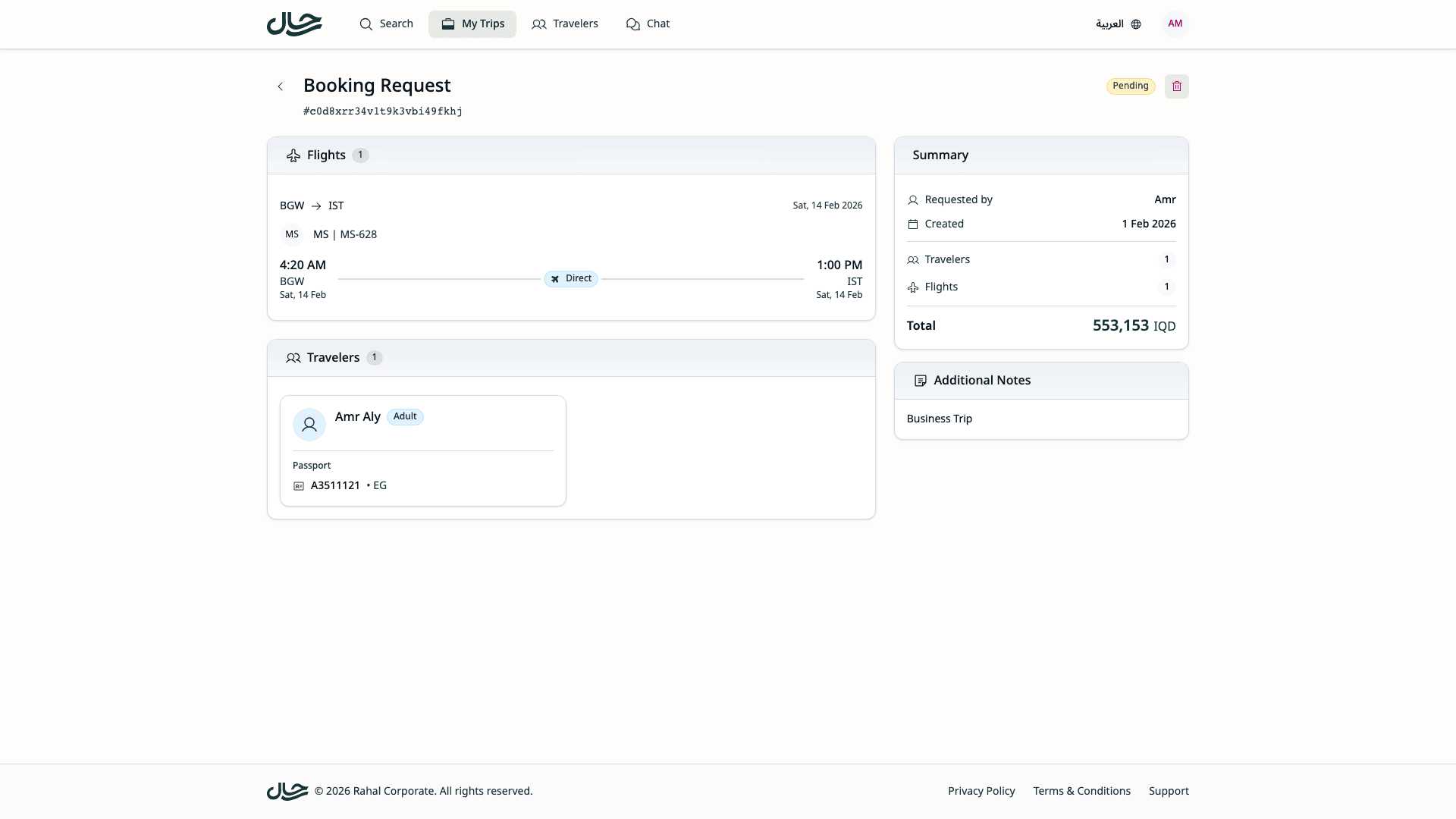
Request Details
Click any request card to see full details. The detail page shows:
| Section | Information |
|---|---|
| Flights | Route, dates, times, airline, cabin class, passenger counts |
| Hotels | Hotel name, star rating, check-in/out dates, room configurations |
| Travelers | Full name, type (Adult/Child/Infant), contact info, nationality |
| Summary | Requested by, creation date, item counts, total price |
| Notes | Any notes you added when submitting |
Tips for Successful Requests
Be Clear About Your Needs
When submitting a request, add notes explaining:
- The business purpose of the trip
- Why you selected specific options
- Any time constraints or preferences
Check Your Details
Before submitting, verify:
- Travel dates are correct
- All travelers are included
- Passport information is up to date
Follow Up Promptly
If your request stays pending for a long time:
- Check if additional information is needed
- Contact your travel administrator
- Be available for questions
Cancel If Plans Change
If you no longer need the travel:
- Cancel the request promptly
- This frees up your budget
- Reduces admin workload
Getting Help
If you have questions about booking requests:
- Check your policy — Your company's travel policy explains approval requirements
- Contact your travel admin — They can explain specific decisions
- Review this documentation — Most common questions are answered here