

Cancelling Requests
How to withdraw a pending booking request
Cancelling Requests
If your travel plans change or you no longer need a booking request, you can cancel it while it's still pending. This guide explains how.
When Can You Cancel?
You can only cancel a request that is in PENDING status.
| Request Status | Can Cancel? |
|---|---|
| PENDING | Yes |
| COMPLETED | No (already processed) |
| CANCELLED | No (already cancelled) |
If a request has already been completed (approved), you'll need to contact your travel administrator about modifying or cancelling the actual booking.
How to Cancel
Go to Your Requests
Navigate to My Trips → Requests tab.
Open the Request
Click on the pending request you want to cancel.
Click the Cancel Button
In the header, you'll see a cancel button (trash icon) next to the status badge.
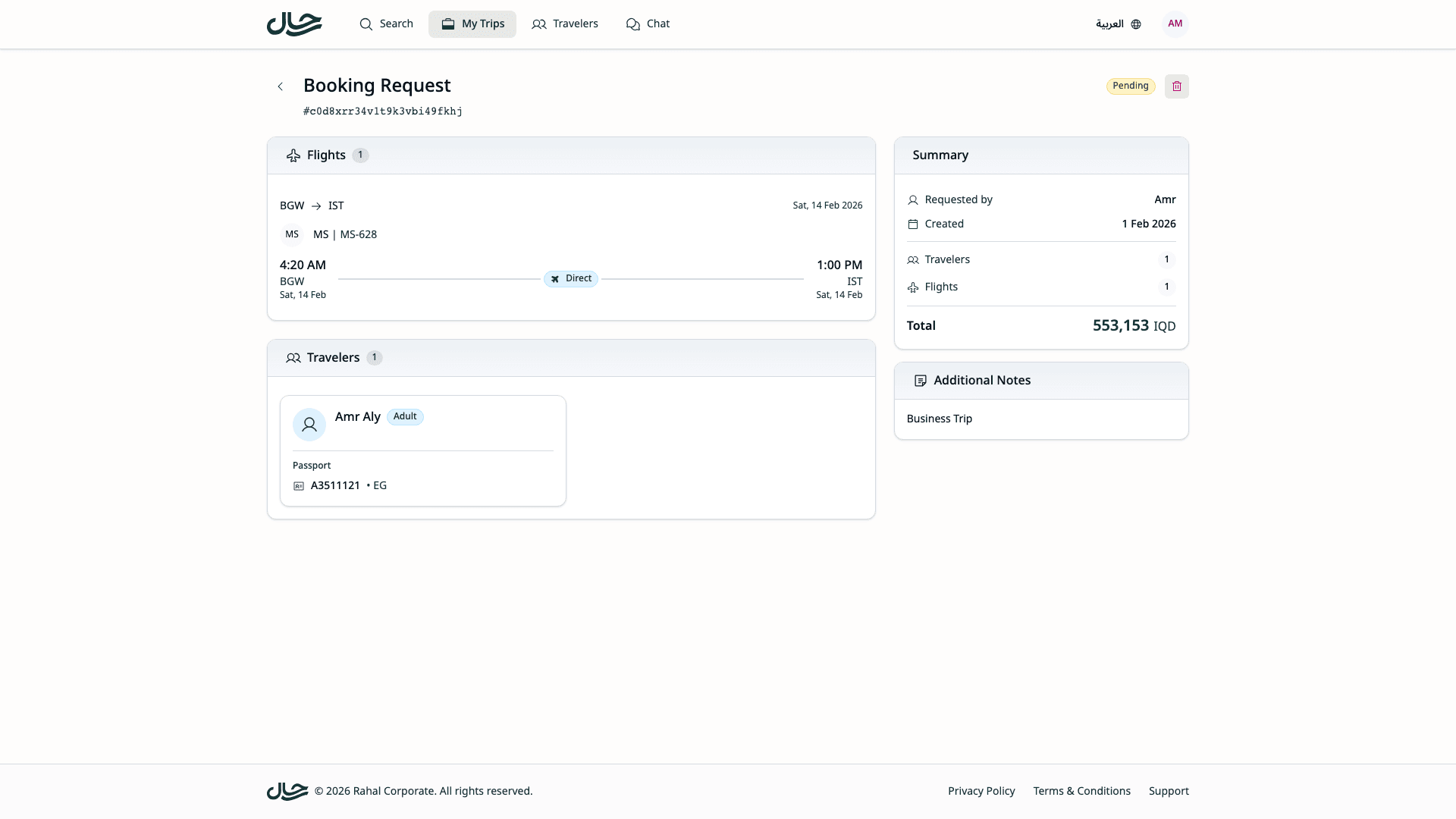
Confirm Cancellation
A confirmation dialog appears asking you to confirm the cancellation. Click Cancel Request to proceed or Cancel to go back without cancelling.
Cancellation Complete
The request status changes to CANCELLED and you're redirected back to the requests list.
What Happens When You Cancel
Immediately
- Status updates — Request moves from PENDING to CANCELLED
- Request locked — No further changes possible
- Confirmation shown — Success message displayed
Budget Impact
If budget was reserved when you submitted the request:
- Reserved amount is released — Returns to your available budget
- You can use it again — For other bookings or requests
This happens automatically upon cancellation.
Visibility
- The cancelled request remains in your request list
- You can still view the details for reference
- Status badge shows CANCELLED
Why Cancel a Request?
Common reasons to cancel:
| Reason | Action to Take |
|---|---|
| Plans changed | Cancel request |
| Wrong dates selected | Cancel and submit new request |
| Different travelers needed | Cancel and submit new request |
| Found better options | Cancel and submit new request |
| Trip no longer needed | Cancel request |
| Duplicate submission | Cancel the duplicate |
Before You Cancel
Consider these points:
Can You Wait?
If you're unsure about your plans, consider waiting rather than cancelling immediately. Once cancelled, you'll need to go through the full booking flow again.
Admin May Have Started Review
If an admin is actively reviewing your request, cancelling might cause confusion. If possible, coordinate with your travel administrator.
You'll Need to Resubmit
If you still need the travel but with modifications, you'll need to:
- Cancel the current request
- Go back to the booking flow
- Make new selections
- Submit a new request
There's no way to "edit and resubmit" a cancelled request.
Confirmation Dialog
The confirmation dialog ensures you don't cancel accidentally:
| Element | Purpose |
|---|---|
| Title | "Cancel Request" |
| Description | Confirms you want to cancel |
| Confirm Button | Proceeds with cancellation |
| Back Button | Returns without cancelling |
The button labels can be confusing: click the Cancel Request button to confirm cancellation, or click Cancel to go back without making any changes.
After Cancellation
What You Can Do
- View the cancelled request in your history
- Submit a new request if needed
- Use your released budget for other bookings
What You Cannot Do
- Undo the cancellation
- Reopen the request
- Modify the cancelled request
Cancellation vs. Admin Cancellation
Your request may also be cancelled by an administrator (rejection):
| Initiator | Reason | Notes Field |
|---|---|---|
| You | Plans changed, no longer needed | Usually blank |
| Admin | Request denied | May contain explanation |
Check the request notes for any admin-provided context.
Tips
Cancel Promptly
If you know you don't need a request:
- Cancel it as soon as possible
- This releases any reserved budget
- Reduces admin workload
Double-Check Before Submitting
To avoid needing to cancel:
- Review all details before submitting
- Verify dates and travelers
- Confirm the booking is actually needed
Communicate If Urgent
If you're cancelling an urgent request that an admin might be processing:
- Consider notifying your travel admin directly
- This prevents wasted processing effort